Core Web Vitals for e-commerce: the mistakes that cost you sales
7 Core Web Vitals mistakes are dragging down your e-commerce site. Fix them to boost your SEO and conversions.
Core Web Vitals (LCP, INP, CLS) are Google ranking signals and direct conversion indicators. On e-commerce sites, 7 technical mistakes appear consistently. Fix them and you'll recover lost sales — Vodafone gained +8% in revenue by improving their LCP by 31%. This guide details each mistake and its concrete fix.
Why Core Web Vitals are critical for e-commerce
Web vitals aren't just a Google whim. They measure the real experience of your users — and they have a direct impact on your revenue.
The official thresholds (75th percentile of real visits):
| Metric | Good | Needs improvement | Poor |
|---|---|---|---|
| LCP (loading) | ≤ 2.5s | ≤ 4s | > 4s |
| INP (interactivity) | ≤ 200ms | ≤ 500ms | > 500ms |
| CLS (visual stability) | ≤ 0.1 | ≤ 0.25 | > 0.25 |
The numbers speak for themselves:
- Vodafone: LCP improved by 31% → +8% in sales
- Farfetch: every 100ms of LCP gained → +1.3% conversion
- Swappie: LCP + CLS improved → +42% mobile revenue
- Cdiscount: CWV optimized → +6% revenue during Black Friday
E-commerce site performance is not a DevOps topic. It's a business topic.
Since March 2024, INP has replaced FID in Core Web Vitals. If your team is still optimizing FID, you're working on the wrong metric.
Mistake #1 — Unoptimized hero product image (LCP)
This is the number one mistake I see on e-commerce sites. The hero image on the homepage or product page is most often the LCP element — and it's consistently mishandled.
Typical symptoms:
- Image served as a 2MB JPEG without compression
- PNG format instead of WebP or AVIF
- No fetchpriority attribute
- loading="lazy" applied to the above-the-fold image
The fix:
<img src="hero.webp" // Always use WebP or AVIF formats
    fetchpriority="high" // Specify priority for the main LCP image
    loading="eager" // This is optional : `eager` is default value
    width="1200" // Specify image sizes
    height="600"
    alt="Featured product"> // SEO and accessibility alternative description
If the image is loaded via CSS or JavaScript (background-image, JS carousel), add a preload in the head:
<link rel="preload" as="image" href="hero.webp" fetchpriority="high">
Key points:
- Convert to WebP (or AVIF for modern browsers)
- Compress at 85–90% quality — the eye can't tell the difference
- Only apply fetchpriority="high" to one image per page
- On Shopify, use image_tag with the loading: 'eager' parameter for the theme's hero image
A well-handled e-commerce LCP often comes down to this single image.
Mistake #2 — Product carousel that shifts the page (CLS)
Homepage product carousels are CLS time bombs. Content loads, the carousel initializes, and the entire page jumps down. Result: CLS > 0.25, frustrated user, missed click.
Common causes:
- Carousel height not reserved before JS initialization
- Images without explicit dimensions (width and height)
- Asynchronous loading of the number of visible slides
The fix: Reserve space before the JS executes:
.carousel-wrapper { min-height: 420px; /* known carousel height */ contain: layout; }
And always define dimensions on images:
<img src="your-image.webp" width="440" height="440" />
On WooCommerce / PrestaShop, third-party carousel plugins (Slick, poorly configured Swiper) are the primary culprits. Make sure the container has a fixed height in CSS before the script loads.
E-commerce CLS is 80% solved by explicit dimensions and reserved space. No need to refactor the entire architecture.
Mistake #3 — Third-party scripts blocking interaction (INP)
E-commerce INP is the hardest metric to fix — and the most often ignored. Since March 2024, it's nonetheless an official Core Web Vital.
The problem: every click on "Add to cart", every menu opening, every interaction triggers JavaScript. If the main thread is busy with third-party scripts, the visual response exceeds 200ms. The user perceives the site as slow.
Chatbots, marketing pixels, A/B testing
I've seen this mistake on dozens of e-commerce sites. The usual suspects:
| Script | Typical INP impact | Fix priority |
|---|---|---|
| Chatbot (Intercom, Drift, Zendesk) | +80–200ms | High |
| Marketing pixels (Meta, TikTok, Pinterest) | +40–120ms | High |
| A/B testing (Optimizely, AB Tasty) | +60–150ms | High |
| Analytics (poorly configured GA4) | +20–60ms | Medium |
| CMP / Consent (Axeptio, Didomi) | +30–80ms | Medium |
The fix:
-
Load third-party scripts as
async— never synchronously in thehead. Also avoiddefer: if your internal code (menu, cart) waits for that event to initialize, a third-party script withdefercan create a functional SPOF — the site displays, but nothing responds to clicks. -
Delay non-critical scripts until after the first user interaction:
// Load the chatbot only after the first click
document.addEventListener('click', () => {
  loadChatbot();
}, { once: true });
-
Audit via Chrome DevTools → Performance tab → look for "Long Tasks" triggered by your third-party scripts
-
Remove what isn't being used — an active Pinterest pixel on a site running no Pinterest campaigns is pure waste
On Shopify sites with 15–20 installed apps, the Total Blocking Time often exceeds 2 seconds. Every app adds JS. Be selective.
Mistake #4 — Lazy loading the LCP image
A common paradox: the team optimizes performance by adding loading="lazy" to all images — including the LCP image. Result: the Largest Contentful Paint skyrockets.
The problem: loading="lazy" prevents the browser from loading the image until the user is near that area. On mobile, the hero image is often above-the-fold — it should load immediately. However, until the page is built by the browser, it doesn't know whether an image will be visible in the viewport or not, which delays the download.
Simple rule:
- Above-the-fold images → loading="eager", which is the default attribute value (+ fetchpriority="high" if the image is the page's LCP)
- Below-the-fold images → loading="lazy"
On platforms like PrestaShop or WooCommerce, themes often apply loading="lazy" to all images via a global rule. Check your hero image template and explicitly override the attribute.
Diagnostic tool: PageSpeed Insights directly identifies the LCP element and flags if loading="lazy" is incorrectly applied.
Mistake #5 — Web fonts not preloaded (CLS + LCP)
Web fonts are a double source of problems: they delay LCP (invisible text during loading) and generate CLS (text resizes when the font loads — FOUT).
Symptoms:
- font-display: swap without preload → visible CLS on load
- Fonts loaded from Google Fonts without optimization → blocking external request
- Multiple weights and styles loaded unnecessarily
The fix:
<!-- In the <head>, before any other CSS -->
<link rel="preload" href="/fonts/inter-var.woff2" as="font" type="font/woff2" crossorigin>
And in the CSS:
@font-face {
  font-family: 'Inter';
  src: url('/fonts/inter-var.woff2') format('woff2');
  font-display: optional; /* Avoids FOUT on slow connections */
}
font-display: optional is more aggressive than swap: if the font isn't immediately available from cache, the browser uses the system font. Zero CLS, zero delayed LCP. It's the right choice for e-commerce sites that want clean web vitals.
Practical tip: host your fonts locally rather than from Google Fonts. One fewer external request, one fewer DNS connection = improved LCP (and stronger GDPR compliance).
Mistake #6 — Product filters and sorting that generate CLS
Category pages with dynamic filters are classic e-commerce CLS cases. The user arrives, the filters load via JS, and the entire product grid drops by 200px. CLS score: 0.35. Fail.
What happens:
- The initial HTML renders without filters
- JS injects the filter bar above the grid
- The grid is pushed down → layout shift
The fix:
Reserve space for filters from the initial render:
.filters-container { min-height: 56px; /* known height of the filter bar */ }
Or better: render filters server-side (SSR) so they're present in the initial HTML. On PrestaShop for example, SSR facet modules exist and avoid this problem entirely.
For skeleton loaders on the product grid:
.product-grid { min-height: 800px; /* approximate grid height */ }
Golden rule: never inject content above existing content after initial load. If you must, reserve the space in advance.
Mistake #7 — High TTFB on category pages (LCP)
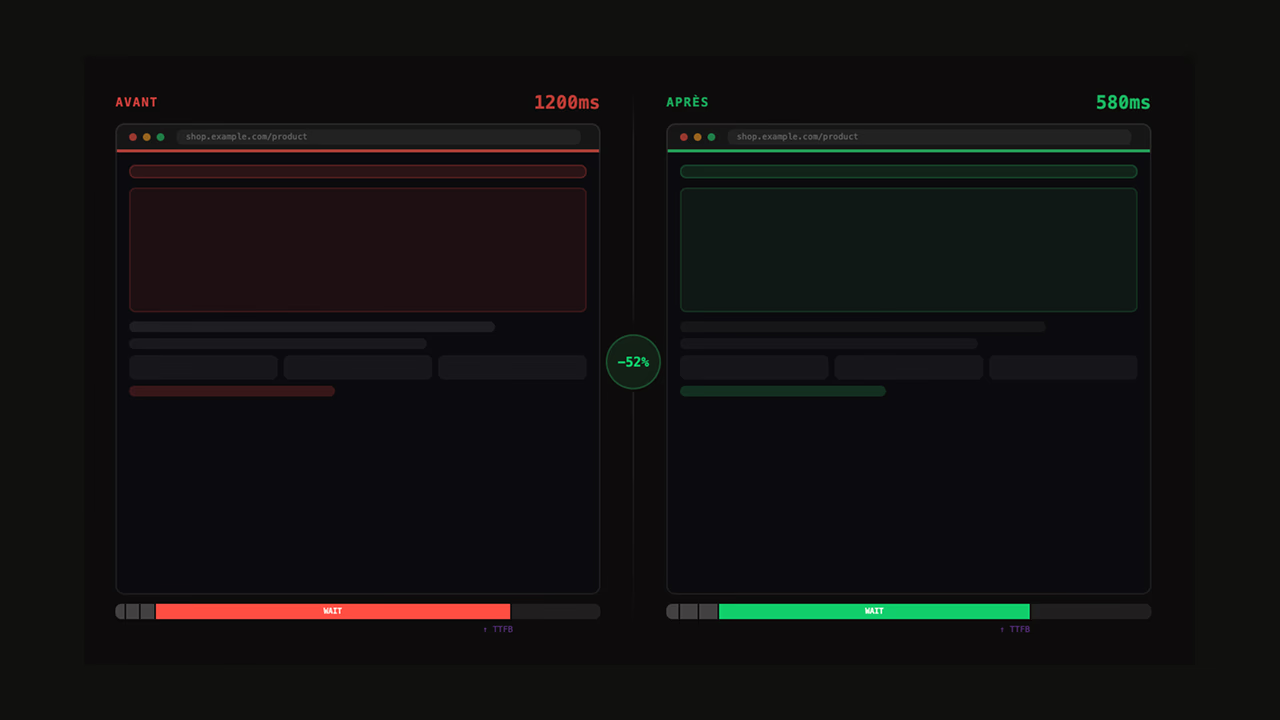
TTFB (Time to First Byte) is not an official Core Web Vital, but it's the first link in the LCP chain. A TTFB of 2 seconds makes a LCP ≤ 2s mathematically impossible.
On e-commerce category pages, TTFB spikes for specific reasons:
- Complex SQL queries to retrieve filtered products
- No HTML cache for anonymous users
- Full server-side render on every request (no CDN)
- Third-party modules executing server-side on every page
TTFB targets for category pages:
- < 400ms: excellent
- 400–600ms: very good
- 600–800ms: acceptable
- > 800ms: fix as a priority
Concrete actions:
- Enable HTML caching for anonymous category pages — this is the fix with the best effort-to-impact ratio
- Use a CDN (Cloudflare, Fastly) to serve resources from edge nodes close to your users
- Optimize SQL queries: index the columns used in filters (price, category, stock)
- Enable object caching (Redis, Memcached) for repetitive catalog queries
- Upgrade to PHP 8.3+ if you're on PrestaShop or WooCommerce — the performance gain is real
On Shopify or SFCC, infrastructure performance is managed by your provider. If your TTFB is still high, look at your site's code:
- Liquid snippets or complex templates can slow down server response time
- Custom development or apps that inject server-side content can also impact TTFB.
Another regularly observed issue is infrastructure location. If your brand is global, a single infrastructure located in Europe will be slower for users in Australia or South America due to origin distance.
How to audit Core Web Vitals for your e-commerce site
Before fixing anything, measure. Field data always takes precedence over lab data.
Essential tools:
| Tool | Type | What it measures |
|---|---|---|
| Google Search Console | Field | Real CWV by page, segmented by mobile/desktop |
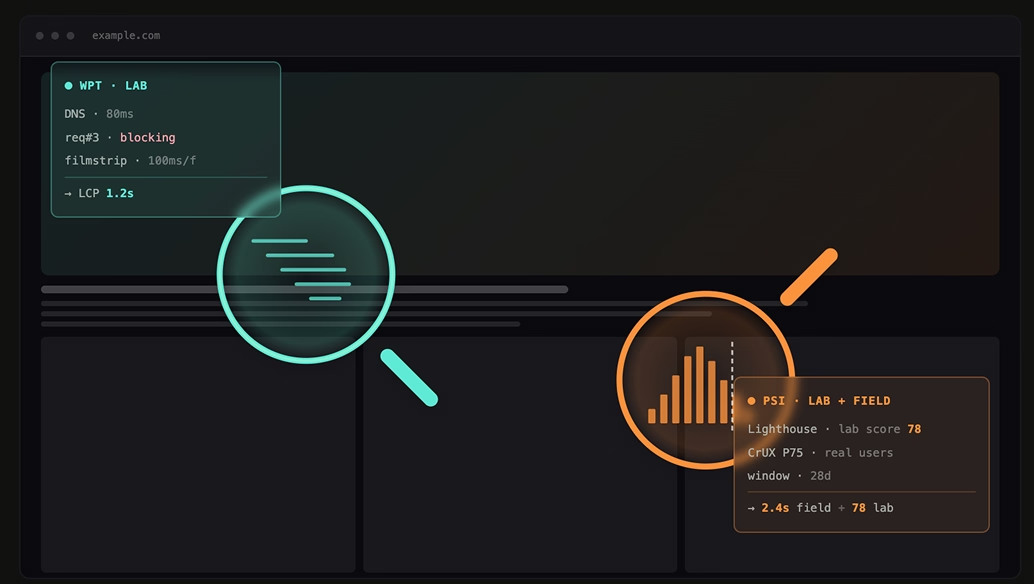
| PageSpeed Insights | Field + Lab | LCP, INP, CLS + recommendations |
| Chrome DevTools | Field + Lab | Precise diagnostics, Long Tasks, waterfall |
| CrUX Vis | Field | Historical CWV trends |
| web-vitals JS | Field (RUM) | Production measurement, send to analytics |
These tools are free and freely accessible. They provide a broad picture of your e-commerce site's performance, but offer a limited view:
- Lab test configurations (PageSpeed in particular) are constrained and not customizable.
- RUM data collected by Google is limited to visitors using Chrome on Android and Chrome on desktop.
- Field and lab data are naive about your server-side issues.
Alongside these tools, it's worth engaging an e-commerce web performance expert who can use far more advanced tools, including profiling tools that help optimize server response times.
| Feature | SpeedCurve | Dynatrace | Datadog | CrUX Vis | Web Page Test |
|---|---|---|---|---|---|
| Synthetic tests | Yes, their strong suit! | Yes, limited | Yes, very limited | No | That's the whole point |
| RUM | Business-oriented | Tech-oriented | Tech-oriented | CrUX data | Catchpoint feature |
| Correlations | Yes | No | No | No | No |
| Profiling | No | Yes | Yes | No | No |
| Setup | Onsite script | Script + server | Script + server | None | None |
| Pricing | Paid (€) | Paid (€€€) | Paid (€€) | Free | Freemium |
If you'd like to start on your own, here is a recommended webperf audit process:
- Search Console → Core Web Vitals report → identify "Poor" and "Needs improvement" pages
- Prioritize by business impact: a category page with 50,000 monthly visits is generally worth more than a store locator page with 500 visits over the same period.
- Chrome DevTools → Performance tab → simulate a slow 4G connection on mobile
Want to identify the root causes of your site's performance? Whether you're using Shopify, PrestaShop, Sylius, or even SalesForce Commerce Cloud, a structured webperf audit is the fastest way to get clear answers.
For an in-depth understanding of how each metric works, the full Core Web Vitals documentation covers measurement mechanisms and official thresholds.
Optimizing e-commerce Core Web Vitals is not a one-time project. Set up continuous monitoring to catch regressions before they impact your sales.
FAQ
Are Core Web Vitals a Google ranking factor for e-commerce sites?
Yes. Since 2021, CWV have been part of the "Page Experience" signals Google uses for ranking. On highly competitive queries (e.g. "men's running shoes"), with equivalent content, a site with good CWV will take the edge. The impact is moderate but real - and it adds to the direct impact on conversion.
What's the difference between INP and FID?
FID only measured the delay before the first interaction. INP measures the latency of all interactions throughout the session (clicks, taps, keyboard input). INP is far more representative of the real experience on an e-commerce site where users click filters, add products to the cart, open menus. FID was removed from CWV in March 2024.
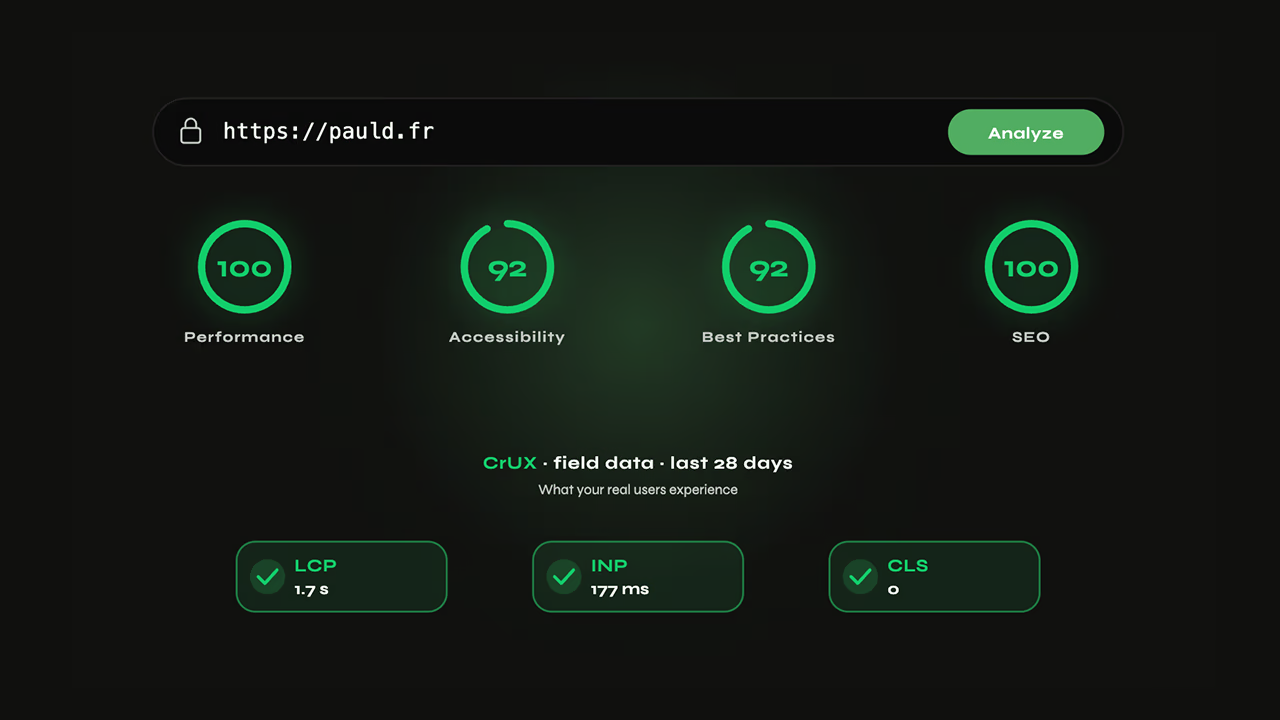
My Lighthouse score is 90+, why are my field CWV poor?
Lighthouse is a lab test on a simulated connection, with no active third-party scripts, no cookies, no user state. Field CWV measure your real users, with their actual mobile connection, their Chrome extensions, your live marketing scripts. The gap can be huge. Trust field data (Search Console, CrUX).
How long does it take to see the impact of fixes in Search Console?
Google updates CWV data in Search Console on a 28-day rolling window. After a fix, expect 4 to 6 weeks before seeing the improvement reflected in the reports. CrUX data is updated monthly.
Does Shopify really let you optimize Core Web Vitals?
Yes, but with constraints. TTFB and infrastructure are managed by Shopify - you can't touch the server. On the other hand, you control the theme (images, fonts, CSS, JS), the installed apps (each app adds JS), and the Liquid code. The biggest gains often come from removing unused apps and optimizing images.
Which CWV has the biggest impact on e-commerce?
LCP first, because it shapes the perception of speed from the moment users land on the page. INP second, because it directly affects the shopping experience (filters, cart, checkout). CLS third - a high CLS causes accidental clicks and frustration, but its conversion impact is more indirect.
Useful sources
- Web Vitals - Official Google documentation — metric definitions, thresholds, and lifecycle
- Core Web Vitals and business impact - Case studies — Vodafone, Tokopedia, Redbus, Cdiscount cases
- Optimize LCP - web.dev — complete technical guide
- Optimize INP - web.dev — complete technical guide
- Optimize CLS - web.dev — complete technical guide
- PageSpeed Insights — field + lab measurement tool
- Core Web Vitals report - Google Search Console — real data by page