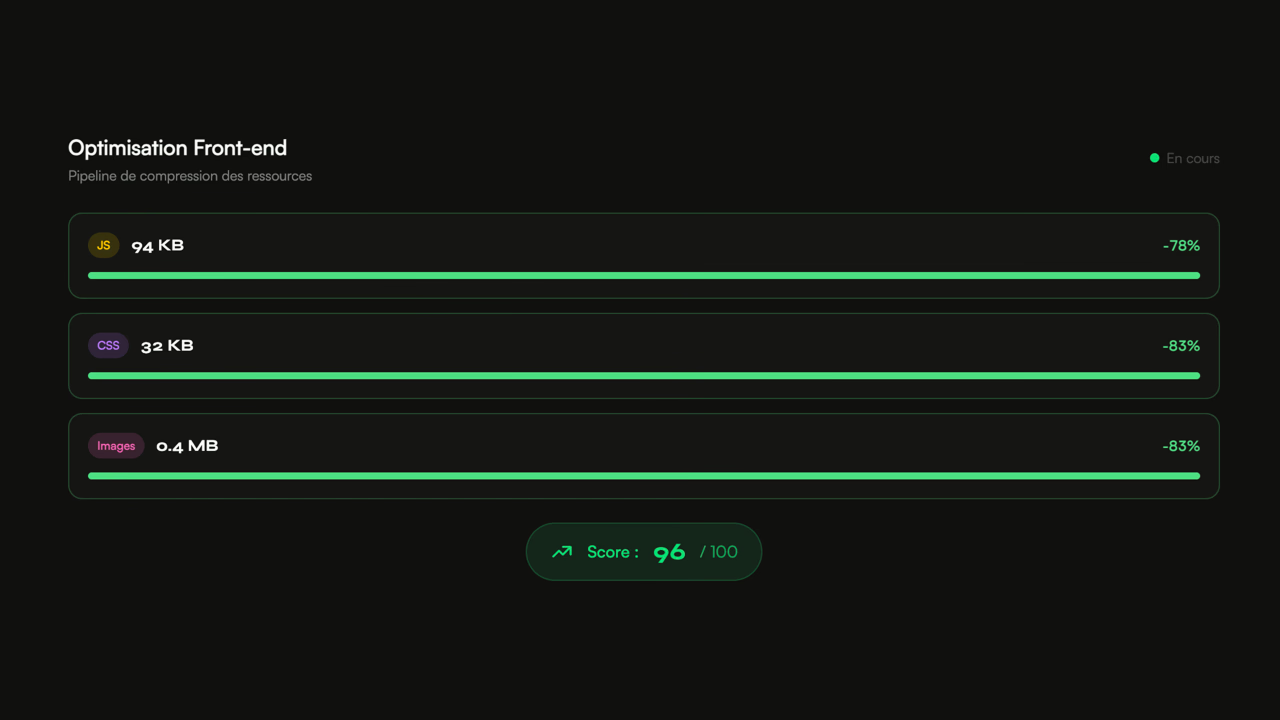
JavaScript bundle drifting, third-party scripts killing INP, unprioritized LCP image. I work on React, Angular, Astro and the critical path to deliver a measurable and sustainable frontend.
100% satisfied clients Data 2023-2026
•8+ years XP•35+ clients partnered
Most Core Web Vitals problems come from the frontend. They look the same from one project to the next.
📦 JavaScript bundle above 500 KB on first load
Webpack not tree-shaken, heavy dependencies (Moment, full lodash, MUI), no code splitting. An audit identifies each contributor.
🐢 Red mobile INP on complex interactions
Unnecessary re-renders, event listeners touching the whole DOM, third-party scripts chaining Long Tasks. React DevTools Profiler exposes the pattern.
🖼️ LCP image not prioritized, formats never AVIF
No fetchpriority on the hero image, JPEG instead of WebP/AVIF, misplaced lazy loading. LCP drifting above 3s.
📊 Long Tasks killing the main thread
Tag manager loading 15 scripts, chatbot loading in one block, synchronous A/B testing. Main thread saturates, INP explodes.
🌐 No SSR, LCP waiting for hydration
Pure SPA on a public site with SEO stakes. Without SSR (Next.js, Astro, Remix), LCP waits for all JS to download and execute.
🧪 No performance budget in CI
Without Lighthouse CI, bundle size check, SpeedCurve, every PR can introduce an invisible regression. Budget discipline is the only guarantee of holding.
AngularAstroDrupalLaravelPythonReactSalesforce Commerce CloudSAP Commerce CloudSyliusSymfonyAkamai mPulseDatadogDynatraceSpeedCurveAkamaiCloudflareFastlyMagentoPrestashopShopifyWordpressMedusa.jsRuby on RailsAngularAstroDrupalLaravelPythonReactSalesforce Commerce CloudSAP Commerce CloudSyliusSymfonyAkamai mPulseDatadogDynatraceSpeedCurveAkamaiCloudflareFastlyMagentoPrestashopShopifyWordpressMedusa.jsRuby on RailsAngularAstroDrupalLaravelPythonReactSalesforce Commerce CloudSAP Commerce CloudSyliusSymfonyAkamai mPulseDatadogDynatraceSpeedCurveAkamaiCloudflareFastlyMagentoPrestashopShopifyWordpressMedusa.jsRuby on RailsAngularAstroDrupalLaravelPythonReactSalesforce Commerce CloudSAP Commerce CloudSyliusSymfonyAkamai mPulseDatadogDynatraceSpeedCurveAkamaiCloudflareFastlyMagentoPrestashopShopifyWordpressMedusa.jsRuby on RailsAngularAstroDrupalLaravelPythonReactSalesforce Commerce CloudSAP Commerce CloudSyliusSymfonyAkamai mPulseDatadogDynatraceSpeedCurveAkamaiCloudflareFastlyMagentoPrestashopShopifyWordpressMedusa.jsRuby on RailsAngularAstroDrupalLaravelPythonReactSalesforce Commerce CloudSAP Commerce CloudSyliusSymfonyAkamai mPulseDatadogDynatraceSpeedCurveAkamaiCloudflareFastlyMagentoPrestashopShopifyWordpressMedusa.jsRuby on RailsAngularAstroDrupalLaravelPythonReactSalesforce Commerce CloudSAP Commerce CloudSyliusSymfonyAkamai mPulseDatadogDynatraceSpeedCurveAkamaiCloudflareFastlyMagentoPrestashopShopifyWordpressMedusa.jsRuby on RailsAngularAstroDrupalLaravelPythonReactSalesforce Commerce CloudSAP Commerce CloudSyliusSymfonyAkamai mPulseDatadogDynatraceSpeedCurveAkamaiCloudflareFastlyMagentoPrestashopShopifyWordpressMedusa.jsRuby on RailsAngularAstroDrupalLaravelPythonReactSalesforce Commerce CloudSAP Commerce CloudSyliusSymfonyAkamai mPulseDatadogDynatraceSpeedCurveAkamaiCloudflareFastlyMagentoPrestashopShopifyWordpressMedusa.jsRuby on RailsAngularAstroDrupalLaravelPythonReactSalesforce Commerce CloudSAP Commerce CloudSyliusSymfonyAkamai mPulseDatadogDynatraceSpeedCurveAkamaiCloudflareFastlyMagentoPrestashopShopifyWordpressMedusa.jsRuby on Rails
Mission commitments
-50%typical JavaScript bundle
-40%mobile TTI gained
INPstabilized under 200ms
ContinuousCI-monitored performance budgets
FAQ
Frequently asked questions
React, Vue, Angular, Astro: which one for performance?
Astro produces the lightest bundle (HTML by default, opt-in islands). Next.js (RSC) hits very light bundles on complex apps. Angular stays heavier by default but predictable. The choice depends on usage and existing team — I work on all four.
How do I know if my frontend has a real problem?
Three signals: mobile LCP above 2.5s on Search Console, mobile INP above 200ms, initial JS bundle above 500 KB. If just one is true, an audit quantifies the accessible gain.
Should I rebuild in Next.js or Astro?
Not systematically. On a mature React SPA, in-place optimization (bundle splitting, RSC migration, image priority) often gains enough. Rebuild is justified when the debt is structural or when SEO demands it.
How are your frontend engagements structured?
As continuous sprints. Initial diagnosis of the bundle, rendering and Core Web Vitals, then each sprint pushes a lever with SpeedCurve or equivalent measurement. An active frontend project keeps adding dependencies — the engagement protects the budget.
Get your frontend green
Bundle + rendering audit
CI performance budgets
RUM measurement
100% satisfied clients
Data 2023-2026
Testimonials
What my clients say
Excellent work.
Paul has significantly improved the site's speed and perfectly aligned it with Google's recommendations.
Professional, thorough, and efficient, I highly recommend.
Nicolas - April Moto
Digital & E-commerce Director
We are very satisfied with Paul's work. He is quick, available, and particularly effective. Since his arrival, very good results have been observed, both in terms of performance and responsiveness. A real asset for our team.
Léo - Luxury brand
E-commerce Product Owner
I don't know if we've said it enough.
But if you want to improve your loading speed,
Make Google happy and get your Core Web Vitals in the green,
Contact Paul Delcloy.
Florian Darroman - Les Makers
Co-founder
The frontend, where everything plays out on the user side
The browser is unforgiving. It parses HTML, discovers CSS, executes JavaScript, and can render nothing until critical resources arrive. A 200 KB unminified CSS file, a font loaded as render-blocking, an analytics script injected in the head: each of these pushes back the moment the user sees anything on screen.
Most Core Web Vitals problems I encounter in audits are frontend problems. An LCP degraded by a 2 MB PNG hero image without preload. An INP killed by an event listener triggering a full DOM re-render. A CLS caused by ads or embeds inserting into the page after load.
Third-party scripts, the elephant in the room
On most e-commerce sites I audit, third-party scripts represent between 50% and 80% of executed JavaScript. Tag managers, tracking pixels, A/B testing, chatbots, recommendation widgets: each adds weight and network requests.
The problem is nobody watches cumulative impact. A tag manager at 80 KB is fine. When it loads 15 tags each running their own logic, Long Tasks chain up and INP explodes. The solution isn't always to remove everything — it's to audit each script's real impact, drop the ones no longer serving, and load the others non-blocking.
Critical Rendering Path in practice
The concept is simple: minimize what the browser must download and execute before displaying visible content. In practice, it touches everything: head tag ordering, font loading strategy, JavaScript code splitting, critical CSS extraction.
What makes the topic interesting is that every stack has its traps. A React site with SSR can have excellent TTFB but catastrophic INP from hydration. A WordPress site with 12 plugins often loads 400 KB of CSS, 90% of which doesn't apply to the current page. An SFCC site can serve impeccable HTML but inject 3 MB of JavaScript for the personalization layer.
Measure what matters
Lighthouse scores are useful as a starting point, but they don't reflect real experience. A site can score 95 in lab and have a 4-second LCP in the field. The difference comes from network, device, third-parties not loading in headless mode.
CrUX data (Chrome User Experience Report) measures what real users live over the last 28 days. It's the only source Google uses to evaluate Core Web Vitals in ranking. It's also the source I use to measure every optimization's impact, complemented by dedicated RUM (SpeedCurve LUX, Akamai mPulse) for per-template and per-device granularity.
My frontend expertise pages
React: bundle splitting, hydration, RSC, Next.js SSR
Angular: lazy modules, OnPush, SSR Universal, signals
E-commerce store, corporate site, or media: enhance your UX to increase your conversion rate with a web performance consultant integrated into your teams.